

Banking
Your bank. Your books. Always in sync.
Connect your bank once and every transaction flows in. Categorizing a transaction posts it to the ledger, so the bank and the books never drift apart.
Connect
Link your bank through Plaid and set an opening balance.
Import
Transactions flow in on their own, no CSV uploads.
Categorize
Categorizing a transaction posts it to the ledger in the same step.
Match
Channel deposits are matched to the payouts behind them.
01 · Connect once
Any bank, no uploads
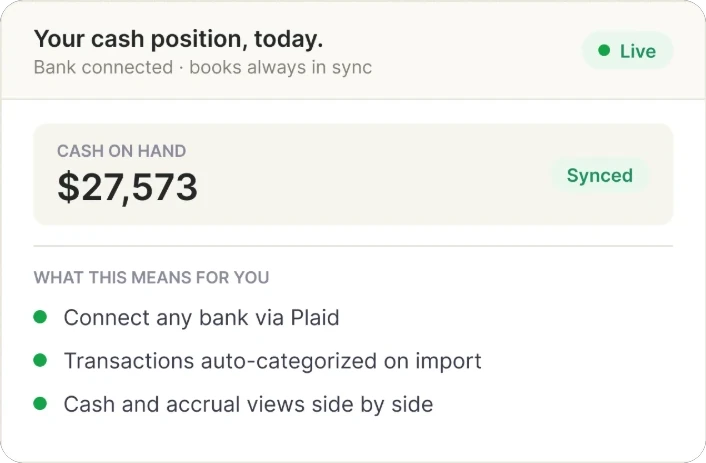
KovaBooks connects to your bank through Plaid. Each account starts from the opening balance you set, so the books begin where the bank actually is.
- Connect any bank via Plaid
- An opening balance for each account
- Transactions import on their own, with no manual files
02 · Categorize once
Post it once, not twice
Each transaction is categorized in one step, and that step is what posts it to the ledger. Save a categorization as a rule and the same vendor is handled the same way next time.
- Categorizing a transaction posts it to the ledger
- Reusable rules remember how you handled a vendor
- Deposits from your channels are matched to their payouts
03 · Cash, two ways
Cash and accrual, side by side
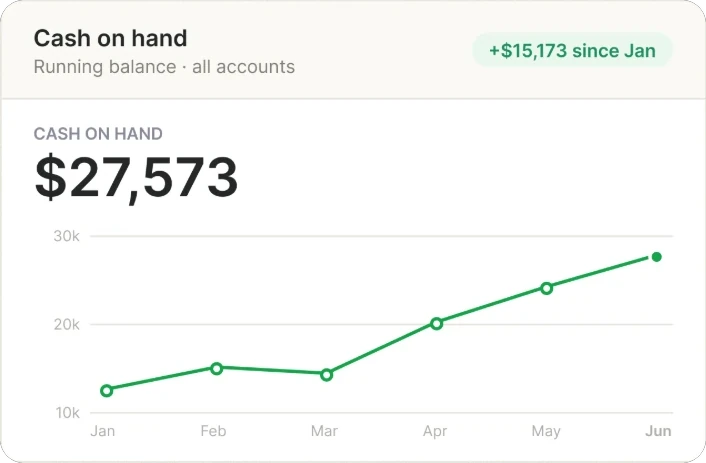
Your cash position comes straight from the connected accounts, and the same books can be read on a cash or an accrual basis, so you can see what is in the bank and what you have actually earned.
- Cash on hand, from your connected accounts
- Cash and accrual views of the same books
- Nothing to reconcile by hand between the two
In sync
A bank feed that does the posting.
Connect once and your bank, your channels and your ledger stay in step without anyone re-keying a line.
Install on Shopify